One connected platform

See how the work flows.

AquaTrak does more than put useful features in one place. It connects each step—from planning the rota to recording what happened on site.

Four workflows that keep the whole venue connected.

Each person sees the next action they need. Managers keep visibility, and the final record is created as the team works—not reconstructed afterwards.

01 Workforce workflowFrom rota gap to approved timesheet View workflowHide workflow
  1. PlanCreate and publish shiftsManagers build by department and only publish when ready.
  2. FillOffer, swap or claimEligible employees can solve gaps through controlled workflows.
  3. WorkClock in and take breaksSecure kiosk PINs create a reliable trail of clock events.
  4. ReviewApprove the timesheetExceptions are visible before hours reach payroll.

Outcome: fewer rota messages and cleaner time records.

02 Training workflowFrom training need to employee record View workflowHide workflow
  1. CreateSchedule trainingChoose the department, trainer, time and paid or unpaid status.
  2. NotifyInvite the right staffRelevant team members can see the session alongside their work.
  3. RecordConfirm attendanceManagers capture who attended and what was covered.
  4. RetainUpdate each staff recordTraining history stays visible for future scheduling and reviews.

Outcome: clear proof of who was trained, when and in what.

03 Daily operations workflowFrom opening conditions to management follow-up View workflowHide workflow
  1. PrepareComplete daily checksOpening and safety tasks are assigned, timed and signed off.
  2. MonitorReview site weatherEcowitt sensor readings and recorded history keep conditions visible to managers.
  3. InformShare important arrivalsVIP bookings and operational notes reach the teams who need them.
  4. RespondLog issues while on siteMaintenance, accidents and near misses are captured while details are fresh.
  5. CloseTrack action and sign-offManagers see outstanding follow-up and a complete daily record.

Outcome: safer handovers and nothing important lost in a group chat.

04 Onboarding & employment workflowFrom new starter to approved and ready for work View workflowHide workflow
  1. CollectComplete staff informationThe employee submits their details, emergency contacts and other required onboarding information.
  2. CheckVerify documents and qualificationsReview Right to Work, role-specific qualifications and any company documents they must read or acknowledge.
  3. Set upConfirm pay and employment detailsSet the pay rate, job role, start date and the correct contract or employment terms.
  4. SignIssue terms for acceptanceThe employee reviews and signs their contract or employment terms, with outstanding actions kept visible.
  5. ApproveComplete the onboarding checklistAdmin confirms every requirement is complete before approving the employee as ready for work.

Outcome: every starter has the correct pay, terms, qualifications and documents before their first shift.

Information moves with the work.

Shift published→Employee notified
Training attended→Staff record updated
Check flags an issue→Follow-up becomes visible
Clock-out completed→Timesheet ready to review

Plan the rota. Fill the gaps. Know who is ready.

Give managers control without hiding the information employees need.

↗

Smart scheduling

Create shifts by department, copy weeks, publish when ready and see the whole team across mobile and desktop.

⇄

Shift swaps & offers

Let eligible employees offer shifts, request direct swaps and claim open work through controlled approval flows.

◷

Clocking & timesheets

Secure kiosk PINs, break tracking, unscheduled clock-ins and clear manager review for time worked.

Records that reflect what happened on site.

Schedule the session, record who attended, identify the trainer and keep the topics covered on each employee’s record.
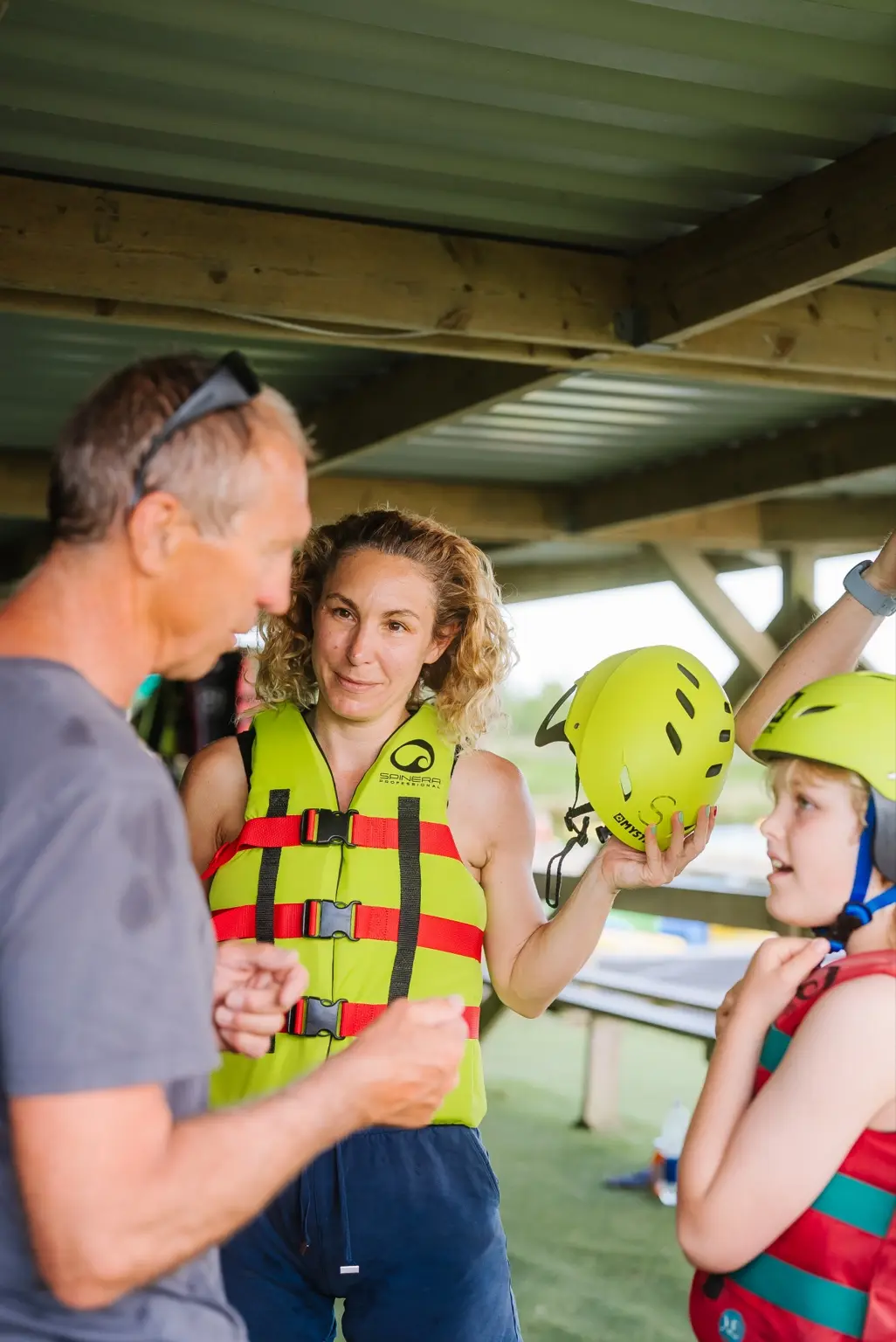
A member of the North Devon Wake Park team giving a safety equipment briefing

Real training and safety preparation at North Devon Wake Park.

From first invitation to an experienced team member.

✓

Onboarding & documents

Collect employee information, confirm checks, issue employment terms and track outstanding requirements.

◉

Staff training

Schedule paid or unpaid training by department, notify staff, record attendance, trainers and topics covered.

◎

Qualifications

Keep role eligibility and qualifications visible so the right people are assigned to the right work.

Make the important checks and reports part of the working day.

+

Accidents & near misses

Record reports while details are fresh, log first-aid equipment used and track management follow-up.

⚑

Ecowitt weather history

Connect your station, see the latest sensor readings and retain a dated weather history with CSV export.

☑

Daily checklists

Assign opening, safety and closing checks with a clear record of who completed each task and when.

★

VIP booking visibility

Highlight important arrivals, operational notes and responsibilities to the teams who need to know.

See how AquaTrak could fit your venue.

Tell us how your team works and where the daily admin gets in the way.

From equipment purchases to a printed inspection pack.

✓

Equipment & warranties

Track serial numbers, private PDF invoices, warranty periods, maintenance and replacement claims.

✓

Water-quality testing

Record laboratory results and observations, review the calendar and track the next test.

✓

Inspection reports

Admins select the reporting period and sections, then print or save a readable PDF pack.